
Docker Swarm
Swarm is native clustering for the Docker. in the context of swarm, a cluster is a poll of Docker hosts that acts as a bit like a single large docker host. You can also run swarm services and standalone containers on the same Docker instances.
Features of Swarm
- Swarm setup is very quick and easy, no separate infrastructure requirements and Swarm ships as standard Docker image.
- Swarm implements most of the Docker API endpoints, which means tools build on it can work out of the box.
- Swarm support Affinity definition/configuration, which means Docker swarm launch a container only a Docker host that does not already have the same container already running on.
- Swarm supports high availability, we can join multiple manager nodes to the cluster, so that if one manager node fails, another can automatically take its place without impact to the cluster.
- Swarm support scaling, for each service you can declare the number of tasks you want to run. When you scale up or down, the swarm manager automatically adapts by adding or removing tasks to maintain the desired state.
- Swarm handles desired state reconciliation very well, manager node constantly monitors the cluster state and reconciles any differences between the actual state and your expressed desired state.
- Swarm support network overlays. The swarm manager automatically assigns addresses to the containers on the overlay network when it initializes or updates the application.
- Swarm is secure by default. Each node in the swarm enforces TLS mutual authentication and encryption to secure communications between itself and all other nodes.
- Rolling updates: At roll out time you can apply service updates to nodes incrementally.
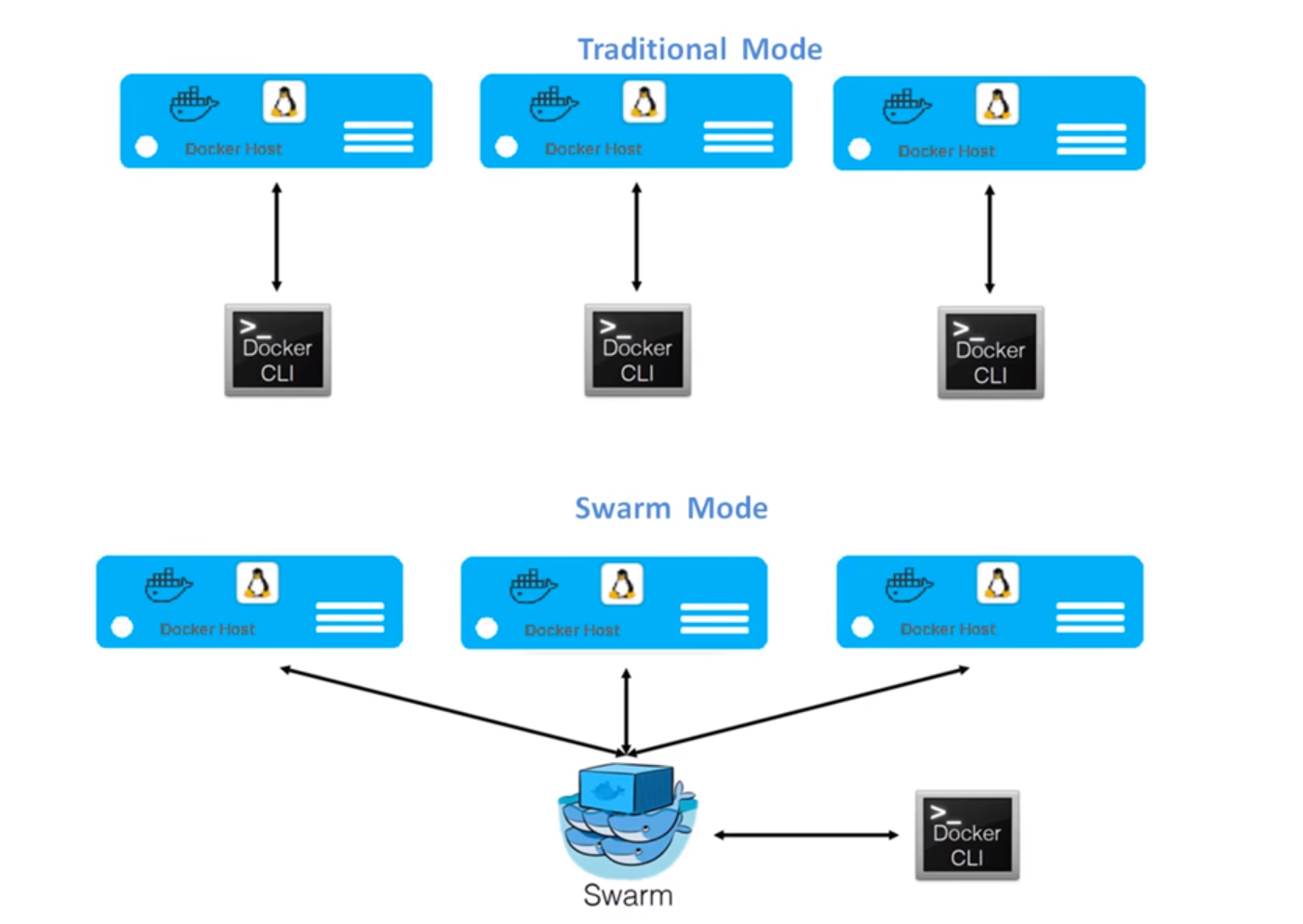
Swarm Mode Key Concepts
Manger Node manages the application deployment of the request. Task Manager Node performs are
- Dispatches units of work called tasks to worker nodes.
- Checks are manage desired state of the swarm.
- Manger nodes elect a single leader to conduct orchestration tasks.
- Keep track of resource utilization on the worker nodes.
Worker nodes receive and execute tasks dispatched from manager nodes. By default manager nodes also run services as worker nodes, but you can configure them to run manager tasks exclusively and be manager-only nodes. An agent runs on each worker node and reports on the tasks assigned to it. The worker node notifies the manager node of the current state of its assigned tasks so that the manager can maintain the desired states.
Service is the definition of the tasks to execute on the worker nodes. It is the central structure of the swarm system and the primary root of user interaction with the swarm. When you create a service, you specify which container image to use and which commands to execute inside running containers.
Task carries a Docker container and the commands to run inside the container. It is the atomic scheduling unit of swarm. Manager nodes assign tasks to worker nodes according to the number of replicas set in the service scale. Once a tasks is assigned to a node, it cannot move to another node. It can only run on the assigned node or fail.
Load balancing, The swarm manager uses ingress load balancing to expose the services you want to make available externally to the swarm. The swarm manager can automatically assign the service a Published Port in the 30000-32767 range. Otherwise you can choose free port yourself.
DNS component automatically assigns each service in the swarm a DNS entry. The swarm manager uses internal load balancing to distribute requests among services within the cluster based on the DNS name of the service.